Product
Introducing EdSutra Studio: a hands-on AI literacy studio in your browser
By Dr. Sai Gattupalli · · Updated · 2 min read
Interactive simulations, live labs, and a game-like curriculum that teaches how AI actually works — no installs, no accounts, one purchase.
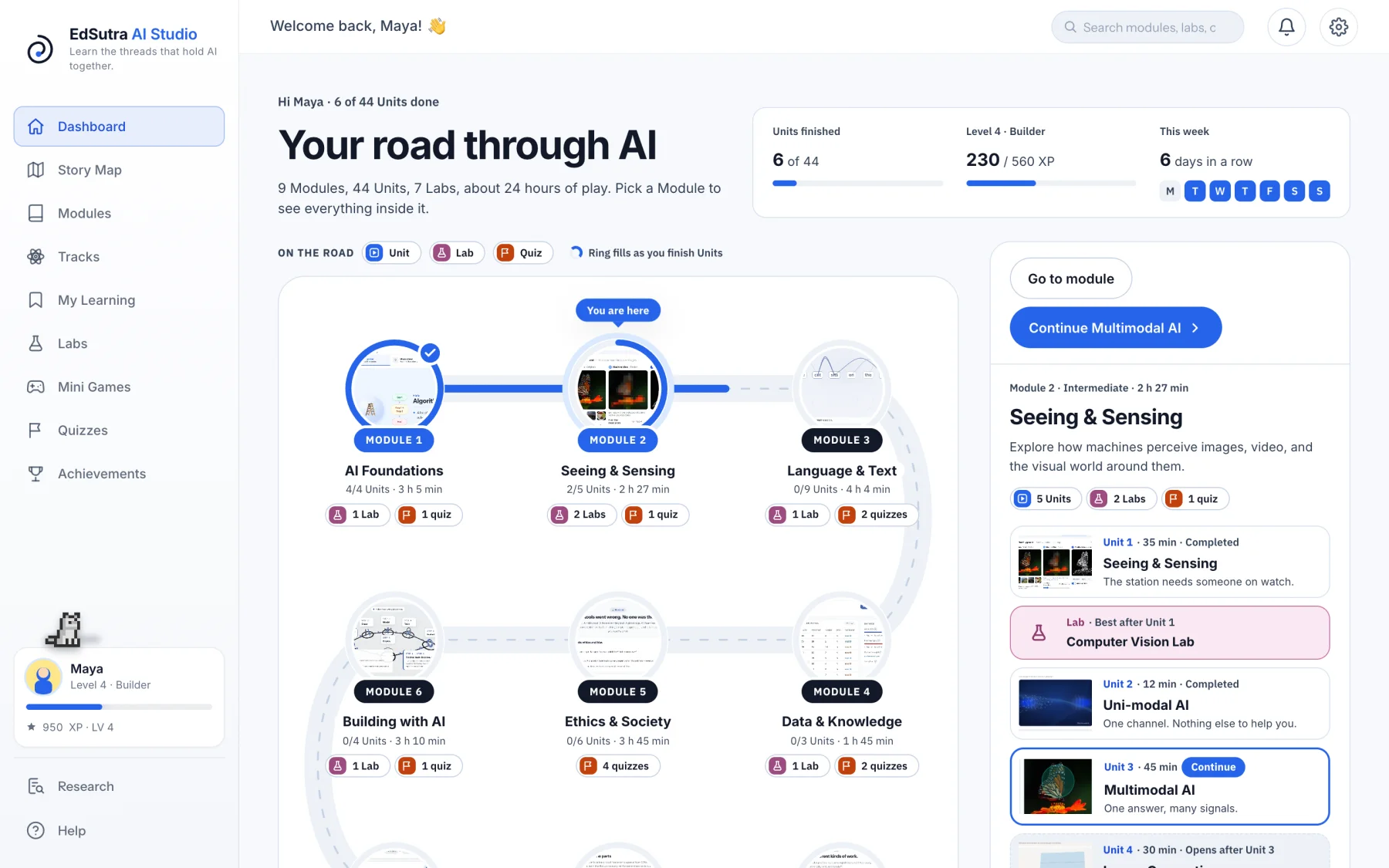
Every learner is already living in a world run by AI — recommendation feeds, chat assistants, cameras that recognize faces. Almost none of them have ever been shown how any of it works. EdSutra Studio is our answer: a complete, hands-on AI literacy studio that runs entirely in the browser, built for learners aged 11 and up.
Lessons you drive, not slides you read
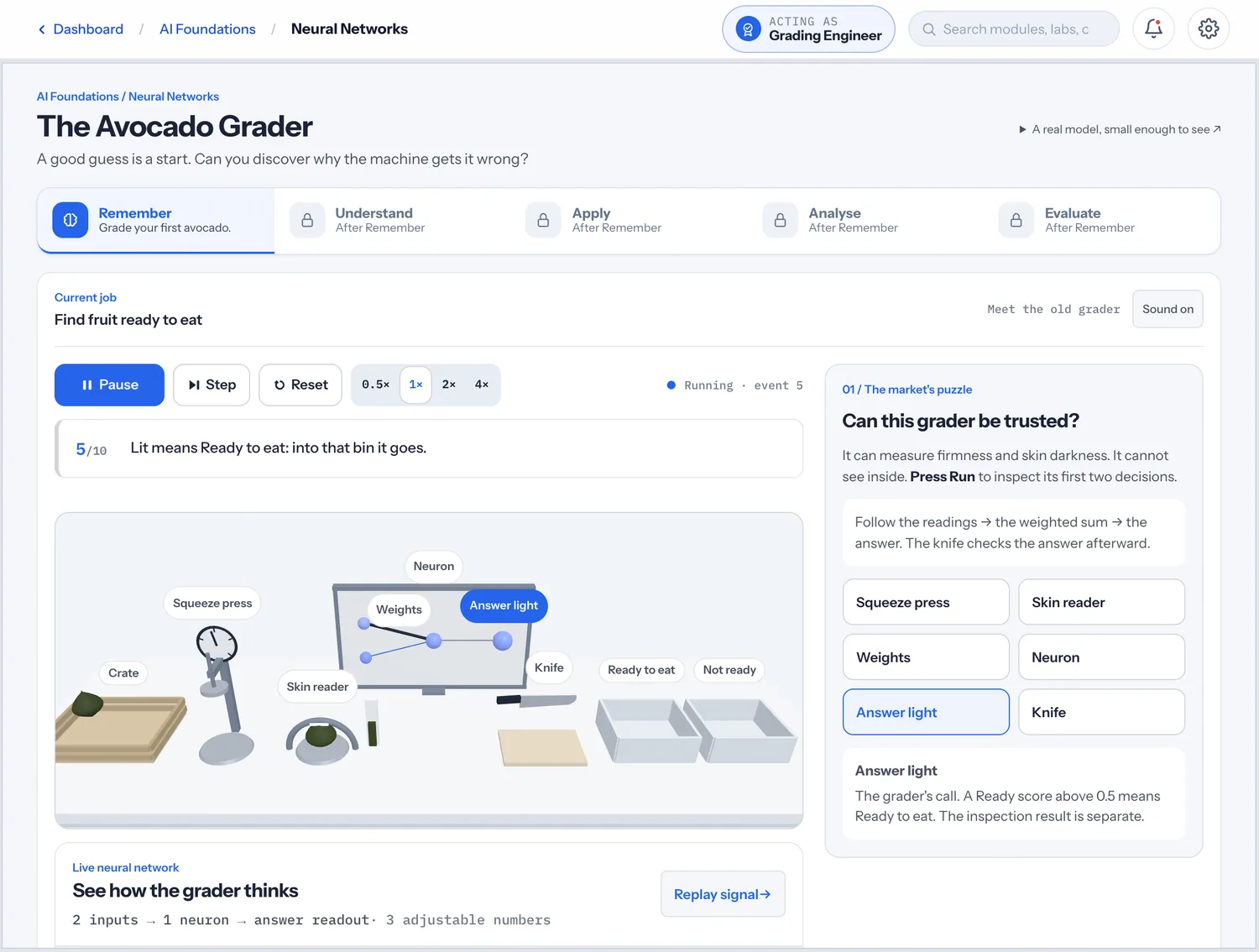
The heart of the Studio is a set of interactive simulations we call sutras — short, memorable lessons where the central object is a working machine, not a diagram. You sort cookies on an assembly line and discover shortcut learning the way researchers did — by getting fooled. You watch a real neural network grade avocados by their squeeze and skin, lighting up as it decides. You open a map of AI's history and trace how Turing's question led to the systems of today.
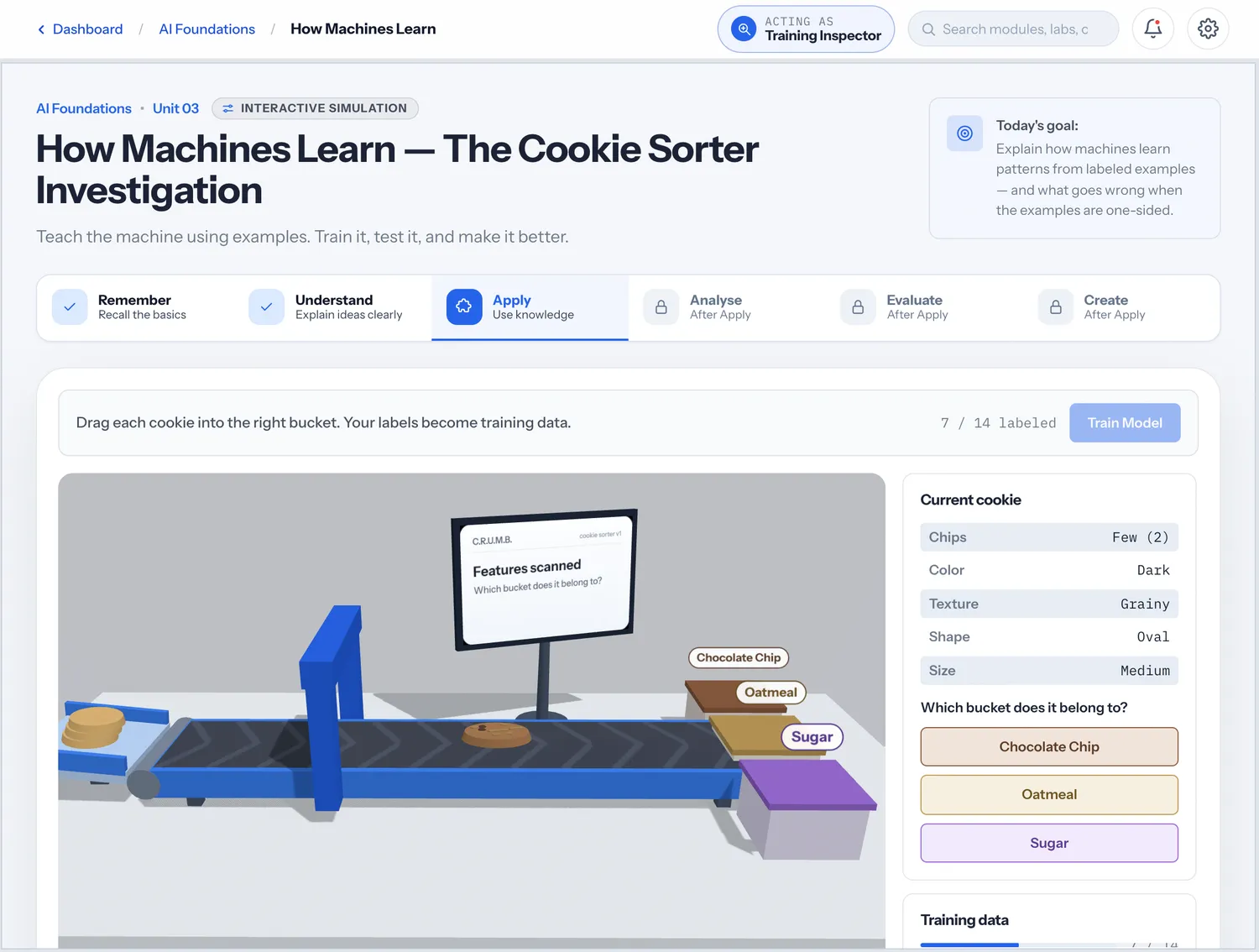
Every Unit climbs Bloom's taxonomy inside one simulation — Remember, Understand, Apply, Analyse, Evaluate — and each step opens only when the learner has shown evidence in the one before. Create happens in the Labs. And every teaching beat is predict-before-reveal: you commit to a guess before the simulation shows you the truth, because that's how durable learning happens.
Honest mechanisms, always
We hold every lesson to one rule: the thing on screen must be real. When a meter shows confidence, it's computed from a genuine forward pass. When a lab shows learning, real learning steps are running. If something would need a large model to be live, we pre-author it and label it. No fake scores, no theater.
Yours, forever
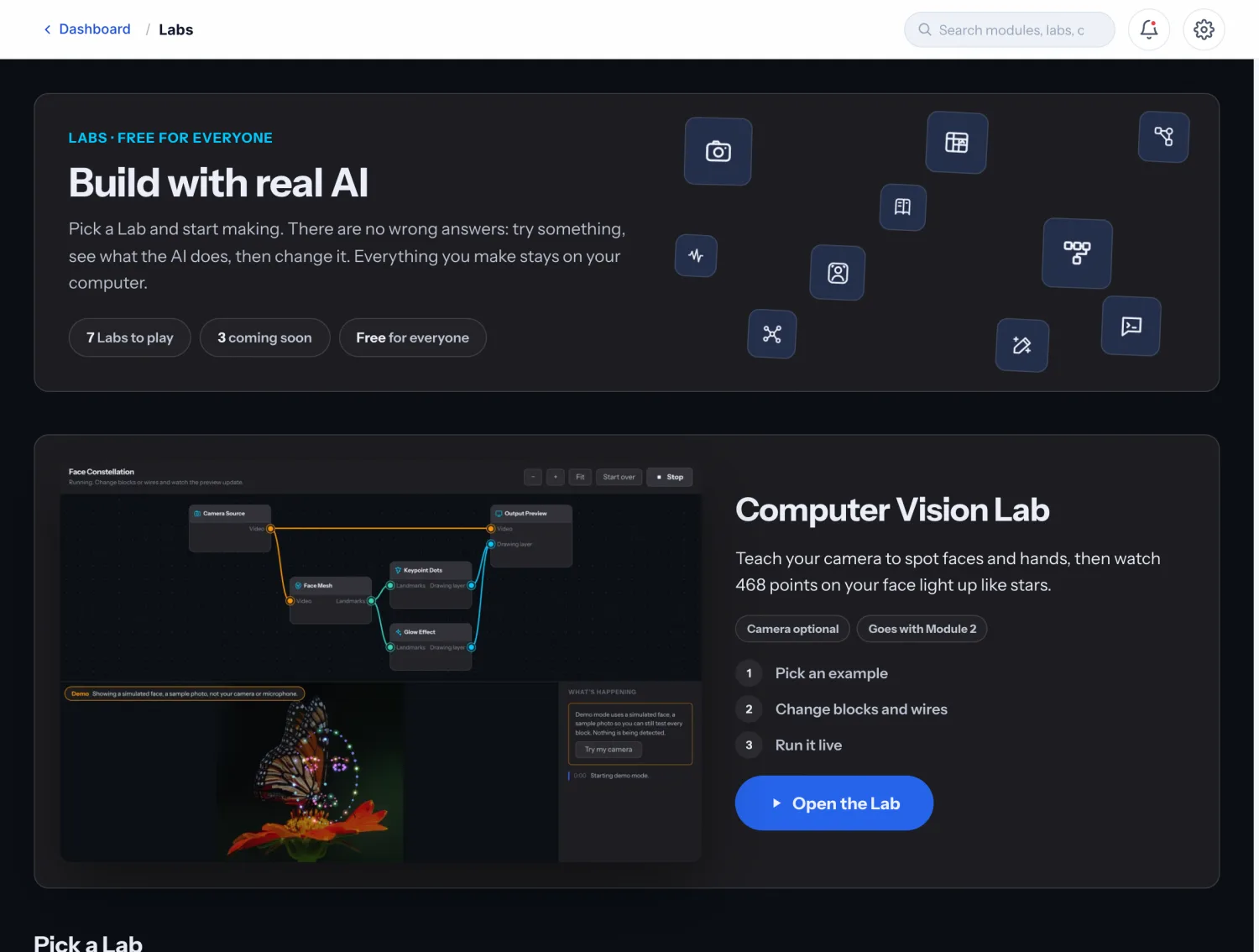
Module 1, AI Foundations, is free — no account needed. One payment of $99 unlocks every Module, Unit and Lab for one learner, on up to 3 of their computers, plus everything we add to the core later. Applied tracks — cybersecurity, healthcare, astronomy and more — arrive as optional expansions. Nothing is a subscription.
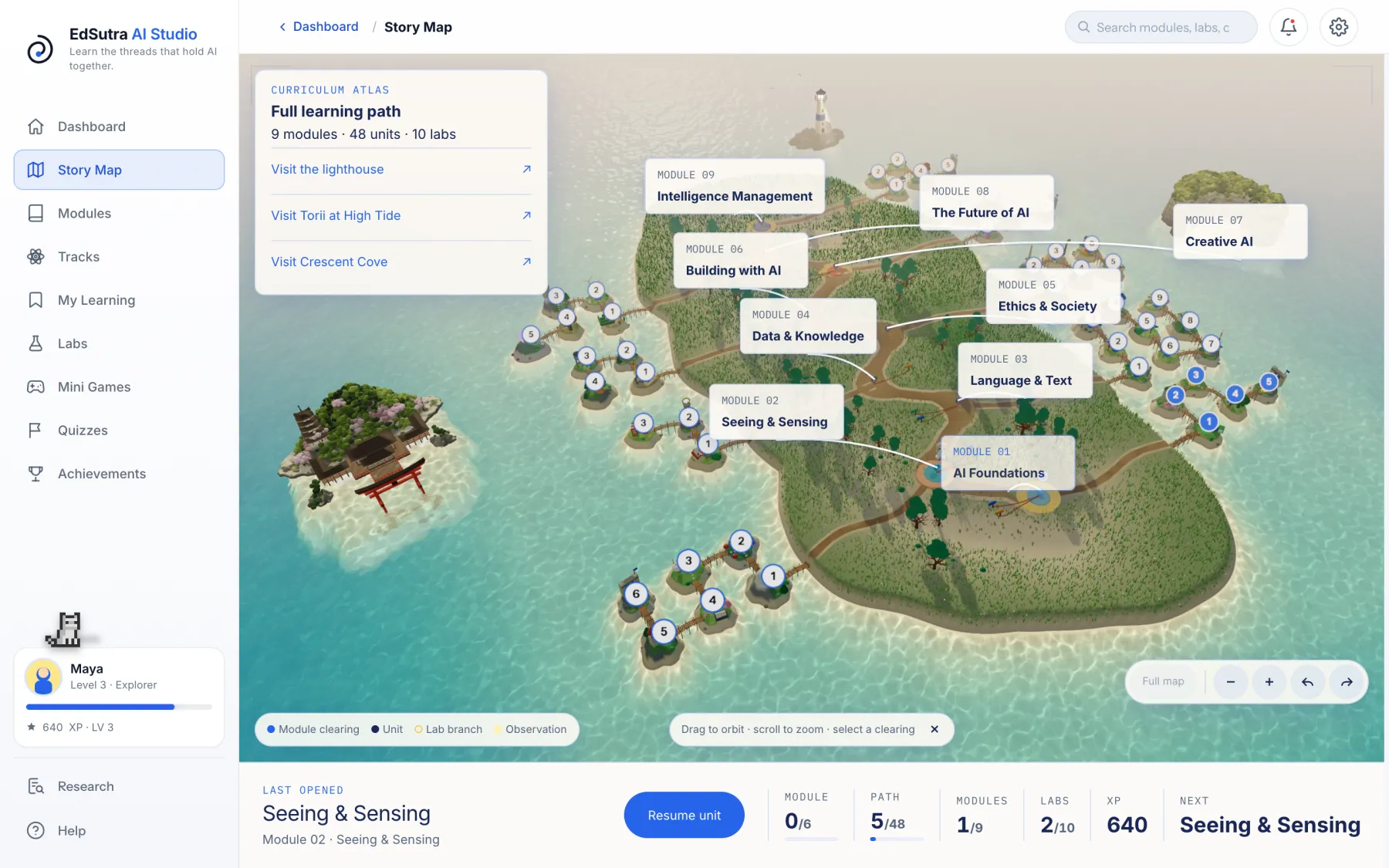
Everything runs on-device and works offline after first load, which means it fits school labs, home study, and low-connectivity classrooms equally well — and progress stays on the learner's computer unless an adult chooses to keep a small copy online.
Updated 28 October 2026: screenshots added, and the examples now describe the current Units. The Avocado Grader and the What is AI? map replaced earlier versions of those lessons. Read what the public release includes.
More from the EdSutra blog
- EdSutra Studio is now open to everyone Product · October 28, 2026
EdSutra Studio's public release: a simulation-based AI literacy curriculum for ages 11 and up. Module 1 is free; the full studio is one purchase. - Why EdSutra's learning companion is a cat: the research behind Ada Learning Science · October 28, 2026
What four decades of research on learning companions suggest, and why EdSutra's companion is a scripted pixel cat rather than a chatbot. - Ada Lovelace and the first question of AI literacy History · October 28, 2026
In 1843 Ada Lovelace asked whether a machine can originate anything. Why her question is where AI literacy begins, and why our companion bears her name. - UNESCO says every student needs AI competency. Here's what that actually asks of us Learning Science · July 6, 2026
A plain-language read of UNESCO's AI Competency Framework for Students: its four dimensions, three levels, and what they ask of curriculum builders. - Why most AI curricula fail the students they were written for Learning Science · June 28, 2026
Vocabulary lists, dated screenshots, and no machinery to touch: the three failure modes of first-generation AI literacy, and what to build instead. - Real AI labs, zero installs: why EdSutra runs entirely in your browser Product · June 20, 2026
Computer vision with your webcam, neural networks you can train, on-device models: all of it runs locally and offline, with nothing to set up. - Buy once, own forever: why EdSutra will never be a subscription Product · June 14, 2026
One payment for the core studio, optional expansions for applied tracks, and a promise: nothing you bought ever stops working. - Teach the history: why AI's past is the most useful lesson in the curriculum Curriculum · June 8, 2026
AI has boomed and crashed before. Students who know that history read today's headlines differently, so Module 1 opens with a map of where AI came from.